
INTERNET SAFETY

|
Internet Information to schools 2021 | [doc 372KB] |

|

|
Online Safety Parents and Carers CEOP 2021 | [docx 58KB] |
|
Internet safety is very important in our school and children are regularly given sessions looking at the importance of keeping themselves safe whilst using the internet. Please visit www.thinkuknow.co.uk/parents for further information and see below for useful hints and tips.
- It's better to keep online mates online only. Do not meet up with strangers without an adult you trust. Just because you've been chatting with someone online for a long time does not mean that you really know who they are. Keep yourself safe!
- Would you give a complete stranger in the street personal information about yourself and your family? Do not do it online! If you do want to post a picture of yourself online then make sure it is 'blocked' from being copied by other people.
- Report abuse if someone posts offensive stuff on your web pages that makes you feel uncomfortable or bullied.
- It's not a good idea to open files from people you don't know. You cannot be sure what these downloads contain. It could be a virus or nasty pictures.
- Do not reply to bullies who may spread gossip or make threats about you or other people online or by mobile phone. Tell a trusted adult about it. Do not keep this kind of stuff to yourself.
- If you feel uncomfortable or if something has happened that is upsetting you then don't feel ashamed, scared or embarrassed to report it. Trained people are there to listen to you and help you. That's their job! You are not in trouble and nobody will make a fool of you.
ADVICE FOR PARENTS
WHAT YOU CAN DO TO KEEP YOUR CHILDREN SAFE
- Know what your children are doing online and who they are talking to. Situate the computer in a family room not a bedroom.
- Consider setting up a list of people your children can send and receive emails from and block the remainder.
- Use a Parental Software programme to block access to certain types of websites.
- Talk to your children about the dangers of giving out personal information online. Let them know that some people lie online and may not be who they say they are.
- Show an interest, ask them to show you their 'space' and the sites they visit, becoming familiar with their patterns of use and time spent online.
- Encourage respect for other users - bullying online can be as harmful as bullying a person face to face.
- Print out any evidence of bullying and do not clear it from the computer as this might be required if further action is taken.
- Make sure they keep their passwords private.
More information can be found at the following websites:
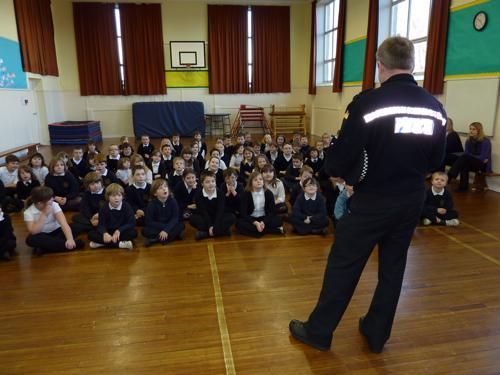
PC Roberts talking to our P4 children.
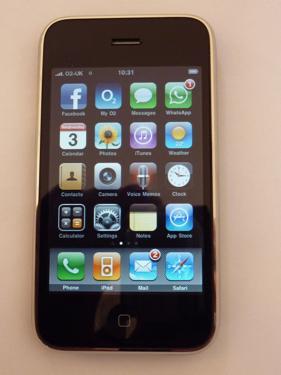
I-Phone
Capable of accessing internet at any time.